Know every phone before you sell it.
FoneScope checks used iPhones and Android phones in about four minutes — battery, iCloud lock, blacklist, screen, cameras, microphones and buttons — and issues a FoneScope certificate your customer can verify.
Free for 14 days. No card needed. Works with a Windows PC and any iPhone or Android.
- iCloud / Find MyOff
- IMEI blacklistClean
- Battery health91%
- Touchscreen98 zones
- Microphones3 of 3
- Face IDDetected
- Cameras & flashPassed
- Parts historyGenuine
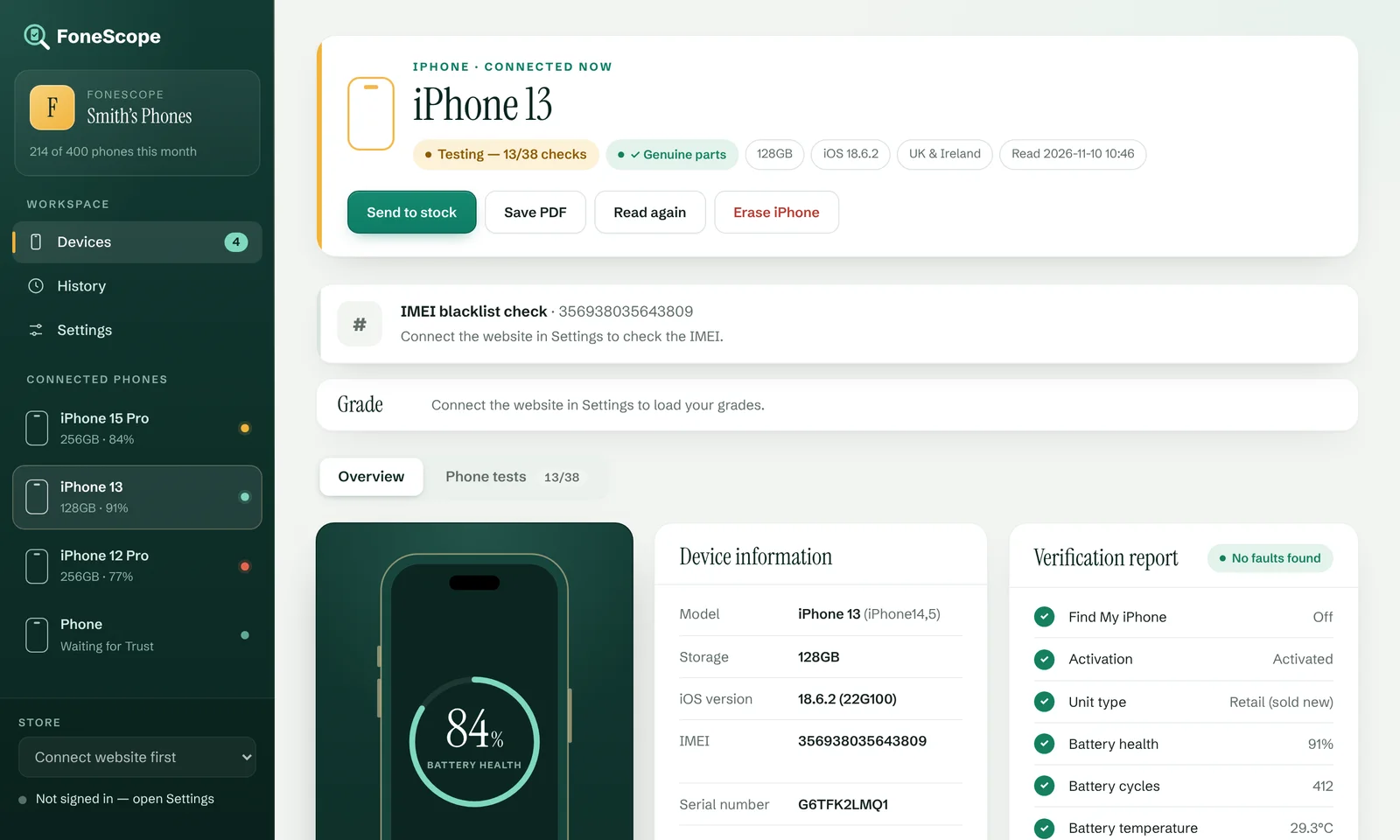
Everything about the phone, on one screen.
Plug a phone in and FoneScope reads it straight away — model, storage, battery, iCloud lock, parts and crash history — then follows every test live as staff work through it.
Over forty checks, without opening the phone.
Some things the phone tells us over the cable. Some it tests on its own screen. The rest your staff do by hand — and FoneScope sees each press as it happens.
Read over the cable
Instantly, the moment it’s plugged in.
- Model, storage, colour and serial
- Battery health and charge cycles
- iCloud / Find My and Google FRP lock
- Activation, carrier and region
- Crash and restart history
- Charging port, SIM tray, Wi-Fi and Bluetooth
Tested on the phone
Scan a QR code — the phone tests itself.
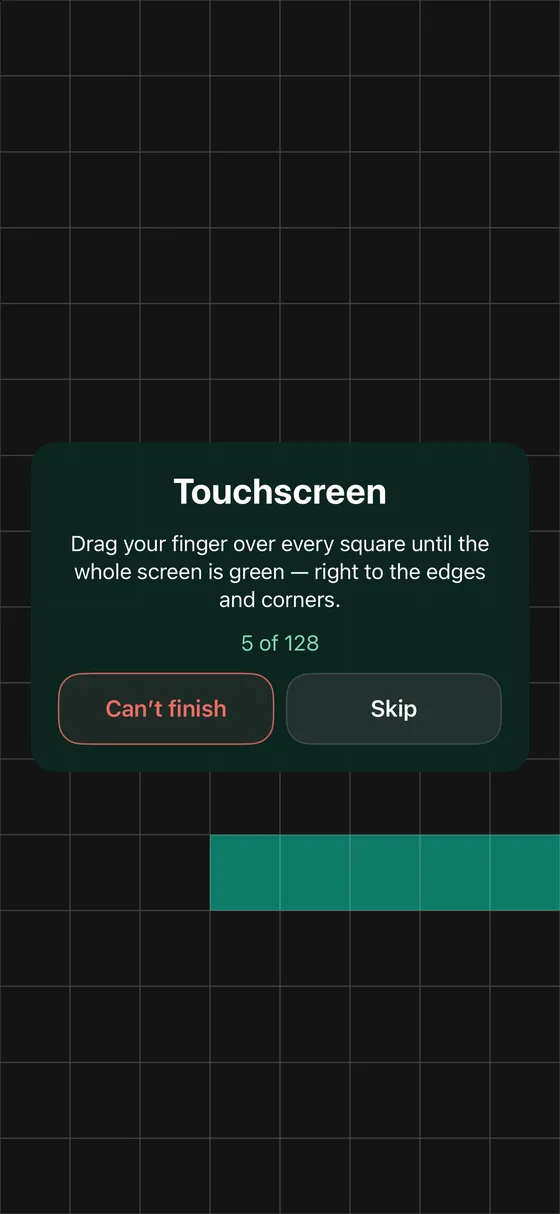
- Touchscreen grid, edge to edge
- Dead pixels and colour
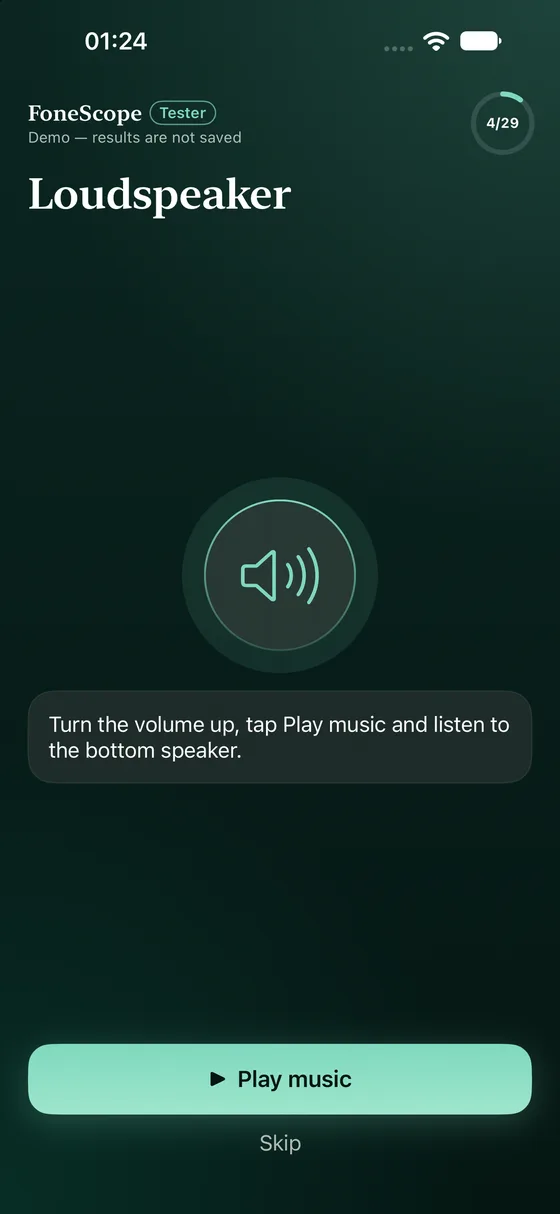
- Loudspeaker and earpiece
- All three microphones, by beep loopback
- Every camera, including ultra-wide and telephoto
- Gyroscope, compass and GPS location
Detected while staff press
Seen over USB — no “did it work?” guessing.
- Volume, side and action buttons
- Face ID or fingerprint
- Proximity sensor
- Flashlight, confirmed by staff
- NFC, with a real card
- Wireless charging
Catch the bad replacement battery before the customer does.
A weak or badly fitted battery often looks fine on the bench — then the phone restarts in the customer’s pocket. FoneScope puts the phone under real load and watches what happens.
- 10–20 minutes of heavy load — every processor core, the graphics chip, screen, torch, speaker and GPS at once.
- Restarts are caught — the shop PC checks the phone’s reset logs when it’s plugged back in.
- Real capacity, not just “health %” — charge used against the drop, voltage under load and temperature.
- “Battery test only” mode for phones you’ve just fitted a new battery to.
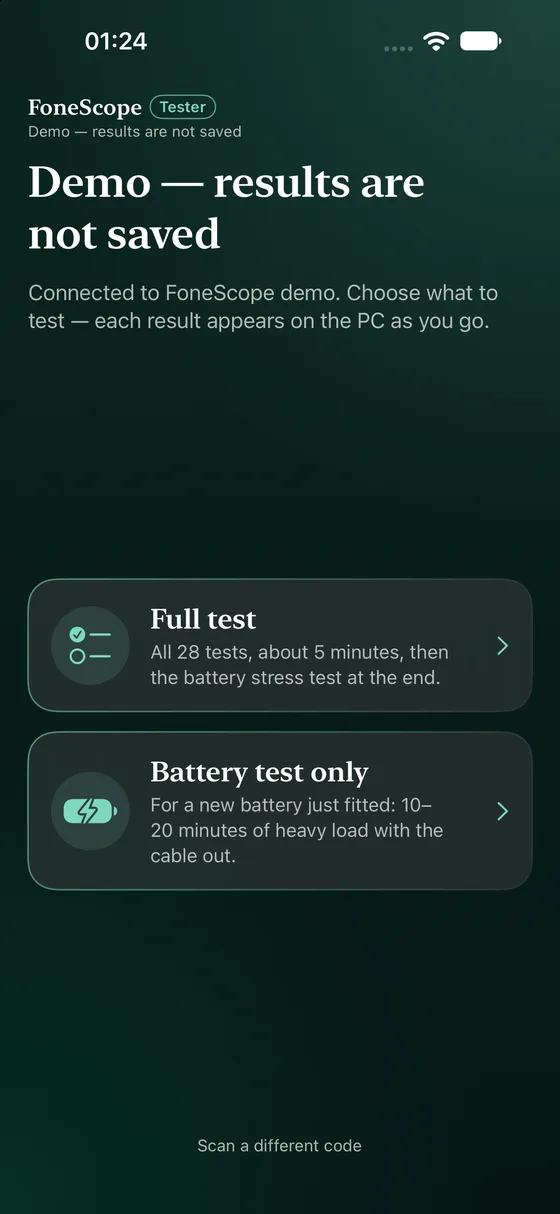
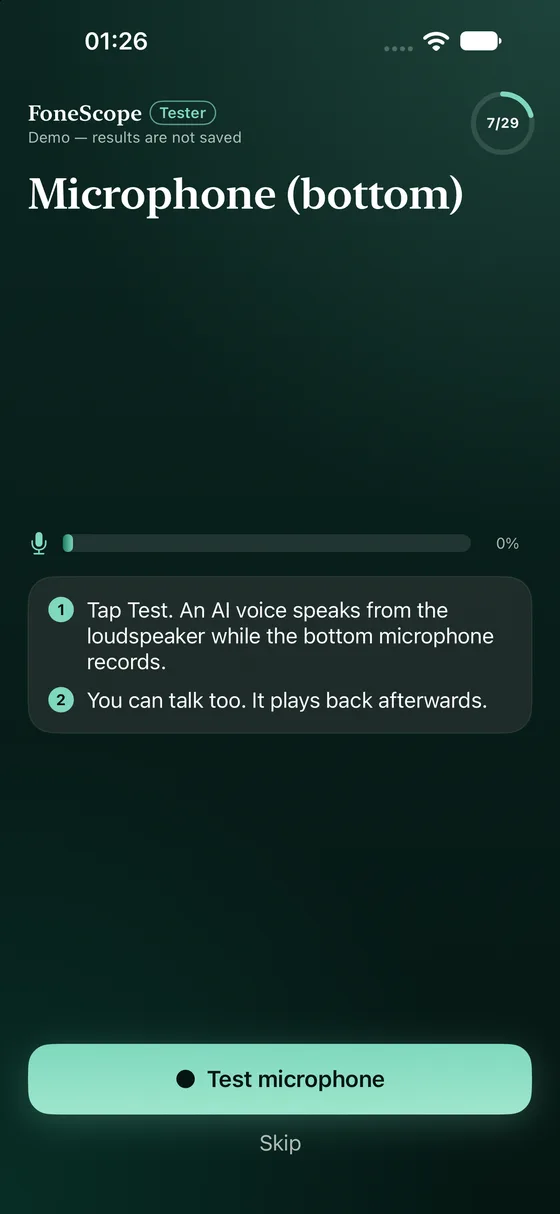
The phone tests itself — step by step.
Each test takes a few seconds and tells staff exactly what to do. Run it in the phone’s browser from a QR code, or in the FoneScope Tester app for iPhone. Every result lands on the PC as it happens, saved against the phone’s IMEI.
Three steps at the counter.
Most phones are done in about four minutes.
Plug it in
Connect the phone to your Windows PC. FoneScope reads it straight away and checks the IMEI against the blacklist.
Let it test itself
Scan the QR code and the phone runs through its own tests. On Android, the test app installs itself and removes itself afterwards.
Grade and certify
Choose a grade, print the barcode label on your Brother printer, and hand over a FoneScope certificate with every result.

12-month warranty
Apple iPhone 14
128GB · Midnight · battery 89%
One certificate customers learn to trust.
Every phone leaves with a FoneScope certificate — the same design in every shop, with your shop’s name and logo as the inspector. Customers scan the code to see the real results online, so it can’t be faked or edited.
- Sell with confidenceShow buyers exactly what was tested, not just “fully checked”.
- Fewer returns and argumentsThe report records the phone’s condition on the day it left your shop.
- Stock that tracks itselfEvery phone gets a stock code, grade and status, with labels for the Brother QL-800.
“Every phone should leave the shop with proof of what was checked.”The idea behind FoneScope — built in Ireland by people who run phone repair counters every day.
FoneScope runs on a normal Windows PC and the phone you’re testing. There’s nothing to install on iPhones, no Mac, and no special hardware.
Each shop gets its own private account and database. Everyone signs in with their own email and password, every check is saved to your stock list, and you can see what every store has tested from anywhere.
Checking by hand vs. FoneScope
Same staff, same counter — just nothing missed and everything on record.
| By hand | With FoneScope | |
|---|---|---|
| Time per phone | 10–20 minutes, depends who checks | About 4 minutes, the same every time |
| iCloud lock & blacklist | Separate website, typed by hand | Checked automatically when it’s plugged in |
| Battery | “Battery health %” only | Health, cycles, temperature and a stress test |
| Hidden faults | Missed until the customer finds them | Crash logs, sensors and non-genuine parts flagged |
| What was checked | Nobody can say for sure | Every result saved against the IMEI |
| For the customer | “Fully checked” | A certificate they can verify online |
| Stock & labels | Spreadsheet and handwriting | Stock code, grade and barcode label |
Pay for the phones you check.
Plans from €19 a month, plus VAT. Re-testing the same phone is always free. Change or cancel any time — and larger groups can ask us for a plan made for them.
Starter
For a single repair counter
- 1 shop included, + €9.50/month per extra shop, 3 staff accounts
- 1 Windows PC for the app
- 10 IMEI blacklist checks a month
- Every iPhone and Android test
- Certificates and labels with your logo
- Email support
Pro
For busy shops and small chains
- 3 shops included, + €19.50/month per extra shop, 10 staff accounts
- 3 Windows PCs for the app
- 40 IMEI blacklist checks a month
- Everything in Starter
- Priority email support
Business
For refurbishers and multi-store groups
- Unlimited shops, Unlimited staff accounts
- 5 Windows PCs for the app
- 150 IMEI blacklist checks a month
- Everything in Pro
- Your logo next to FoneScope on certificates
- Phone support and an onboarding call
Compare plans in detail, and IMEI check prices · Ask about a custom plan
Questions shops ask us
What do I need?
A Windows 10 or 11 PC with a USB port, and Wi-Fi for the phone being tested. iPhones need Apple’s free “Apple Devices” driver from the Microsoft Store — FoneScope tells you if it’s missing.
Do I install anything on the customer’s phone?
Not necessarily. On iPhone the tests can run in Safari from a QR code — added to the Home Screen so they use the whole screen — or in our FoneScope Tester app. On Android, a small test app installs over USB, runs, and removes itself when the tests finish.
Do I need a Mac, or the customer’s Apple ID?
No Mac — FoneScope runs on a normal Windows PC. And you never need the customer’s passcode for the checks over the cable, or their Apple ID: the phone just needs to be unlocked and to trust the PC.
Does it work with laptops?
Yes — LaptopCheck tests Windows laptops too: battery wear, drive health, CPU temperature under load, keyboard, trackpad, screen and microphone, with the same certificate.
What counts as one phone?
Each new phone added to your stock list in the month. Re-testing a phone you’ve already checked is free, however many times you do it.
What happens when we use all the phones in our plan?
FoneScope stops at your last phone check and asks you to buy more — there are no surprise charges on your bill. Buy a pack of extra phone checks in Billing, by card or invoice, and carry on straight away; extra checks never expire. You can also move up a plan at any time. Re-testing phones you’ve already checked is always free.
How does the IMEI blacklist check work?
It checks whether a phone has been reported lost, stolen or blocked, and whether iCloud is locked. Each plan includes some checks every month, and you can buy more in packs. You don’t need your own account with a checking service.
Whose name is on the certificate?
Both. Every certificate is a FoneScope certificate in FoneScope’s design, so customers recognise it anywhere — and your shop’s logo and name appear on it as the inspector, with your warranty and contact details.
Is our data private?
Each shop has its own separate database. Data is stored in the EU, never shared or sold, and you can download a full copy at any time. See our privacy policy.
How do we pay, and can we cancel?
Pay monthly by card, or by invoice and bank transfer. There’s no contract — cancel in Billing and your plan runs to the end of the month you’ve paid for.
Try it on the next phone that comes in.
Setting up takes about five minutes. Free for 14 days, no card needed. Rather see it first? We’ll walk you through it in 15 minutes.